Best Accounting Software for Foreigners in Japan (2026)
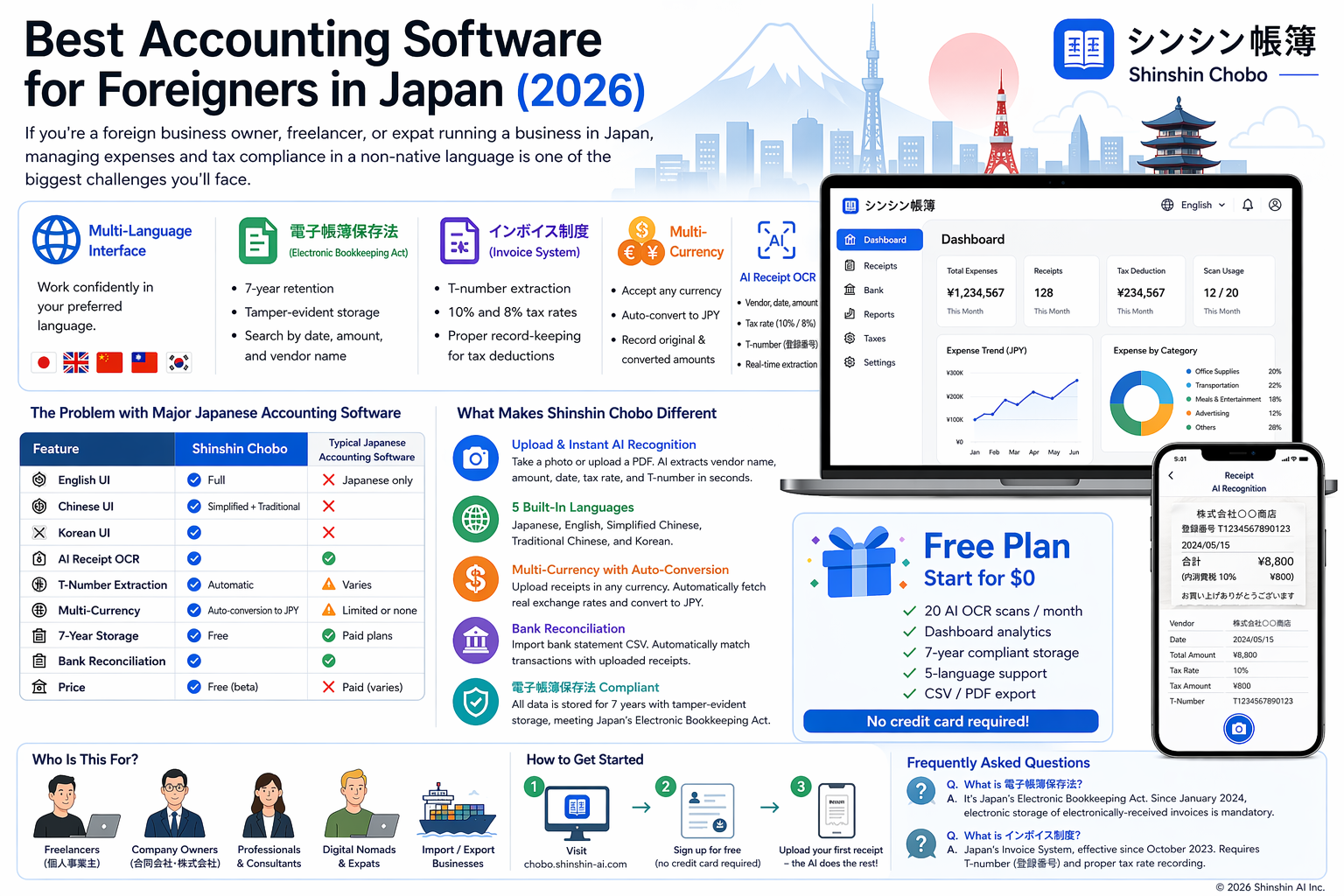
If you're a foreign business owner, freelancer, or expat running a business in Japan, managing expenses and tax compliance in a non-native language is one of the biggest challenges you'll face.
Japan's accounting rules — especially the 電子帳簿保存法 (Electronic Bookkeeping Act) and the インボイス制度 (Qualified Invoice System) — require specific record-keeping that most international software doesn't support.
This guide covers everything you need to know about finding the right accounting tool for your situation.
What Foreign Business Owners in Japan Need
1. Multi-Language Interface
Most popular Japanese accounting software is Japanese-only. If your primary language is English, Chinese, or Korean, you need software with a fully localized interface — not just machine-translated labels.
2. 電子帳簿保存法 (Electronic Bookkeeping Act) Compliance
Since January 2024, businesses in Japan that receive electronic invoices must store them electronically. Key requirements:
- 7-year retention of all receipt and invoice data
- Tamper-evident storage (data cannot be modified after upload)
- Searchability by date, amount, and vendor name
3. インボイス制度 (Qualified Invoice System) Support
Japan's Invoice System (started October 2023) requires:
- Extraction and storage of T-numbers (登録番号) from qualified invoices
- Distinguishing between 10% and 8% tax rates
- Proper recording for consumption tax (消費税) deduction claims
4. Multi-Currency Support
International business owners often deal with receipts in USD, EUR, CNY, KRW, and other currencies. Your software should:
- Accept receipts in any currency
- Automatically convert to JPY using real exchange rates
- Record both original and converted amounts for tax filing
5. AI Receipt Scanning (OCR)
Manually entering receipt data is time-consuming and error-prone. AI OCR should extract:
- Vendor name
- Date
- Total amount and tax amount
- Tax rate (10% or 8%)
- T-number (registration number)
The Problem with Major Japanese Accounting Software
Most popular accounting software in Japan — the ones you'll find recommended in Japanese-language searches — share the same limitation: they are Japanese-only. There is no English, Chinese, or Korean interface.
This means:
- You can't navigate menus or understand settings without reading Japanese
- Error messages and tax category names are all in Japanese
- Customer support is typically Japanese-only
- Tax terminology (経費, 勘定科目, 消費税) requires fluency to use correctly
These tools are excellent for native Japanese speakers, but for the growing community of international business owners in Japan, they create a significant barrier.
What Makes Shinshin Chobo Different
| Feature | Shinshin Chobo | Typical Japanese Accounting Software |
|---|---|---|
| English UI | ✅ Full | ❌ Japanese only |
| Chinese UI | ✅ Simplified + Traditional | ❌ |
| Korean UI | ✅ | ❌ |
| AI Receipt OCR | ✅ | ✅ |
| T-Number Extraction | ✅ Automatic | Varies |
| Multi-Currency | ✅ Auto-conversion to JPY | Limited or none |
| 7-Year Storage | ✅ Free | ✅ Paid plans |
| Bank Reconciliation | ✅ | ✅ |
| Price | Free (beta) | Paid (varies by provider) |
How Shinshin Chobo Solves This
Shinshin Chobo is specifically designed for international business owners operating in Japan. Here's what makes it different:
Upload & Instant AI Recognition
Take a photo or upload a PDF of your receipt. The AI extracts vendor name, amount, date, tax rate, and T-number in seconds — in any language on the receipt.
5 Built-In Languages
The entire interface is available in:
- 🇯🇵 Japanese (日本語)
- 🇬🇧 English
- 🇨🇳 Simplified Chinese (简体中文)
- 🇹🇼 Traditional Chinese (繁體中文)
- 🇰🇷 Korean (한국어)
Multi-Currency with Auto-Conversion
Upload a receipt in USD, EUR, CNY, or any other currency. Shinshin Chobo automatically fetches the real exchange rate and converts to JPY for your tax records.
Bank Reconciliation
Import your bank statement CSV, and the system automatically matches transactions with your uploaded receipts. Unmatched items are flagged for review.
電子帳簿保存法 Compliant
All data is stored for 7 years with tamper-evident storage, meeting the requirements of Japan's Electronic Bookkeeping Act.
Who Is This For?
- Freelancers (個人事業主) filing 確定申告 (tax returns) in Japan
- Foreign entrepreneurs running a company (合同会社, 株式会社) in Japan
- English teachers, IT professionals, consultants who need to track business expenses
- Digital nomads with Japanese tax obligations
- Import/export businesses dealing with multi-currency transactions
How to Get Started
- Visit chobo.shinshin-ai.com
- Sign up for free (no credit card required)
- Upload your first receipt — the AI does the rest
The free plan includes 20 AI OCR scans per month, dashboard analytics, 7-year storage, and full 5-language support.
Frequently Asked Questions
What is 電子帳簿保存法?
電子帳簿保存法 (Denshi Chobo Hozon-hō, Act No. 44 of 1998) is Japan's Electronic Bookkeeping Act. It permits businesses to store accounting records and receipts electronically instead of on paper. Since January 2024, electronic storage of electronically-received invoices is mandatory.
What is インボイス制度?
インボイス制度 (Invoice System) is Japan's Qualified Invoice System, effective since October 2023. To claim consumption tax (消費税) deductions, businesses must keep qualified invoices with a T-number (登録番号) from registered vendors.
Can I use English-only accounting software for Japanese taxes?
You can, but the software must support 電子帳簿保存法 requirements (7-year storage, searchability, tamper evidence) and インボイス制度 (T-number extraction). Shinshin Chobo supports both in English.
How many languages does Shinshin Chobo support?
Five: Japanese, English, Simplified Chinese, Traditional Chinese, and Korean. The entire interface, including receipts management, dashboard, and tax reports, is fully localized.
Is Shinshin Chobo free?
Yes, the Standard plan is free and includes AI OCR (50 receipts/month), dashboard analytics, 7-year compliant storage, 5-language support, and CSV/PDF export.